 Phosphor
A free VDMX alternative with ISF, modular control and automatic beat sync
VDMX users want modularity: panels where they like, every value drivable by an LFO, audio or a knob, ISF shaders everywhere. Phosphor keeps all of that, free and open source, and adds the things VDMX leaves to plug-ins or to you: automatic beat detection, clips that lock their visual rhythm to the tempo, and projection mapping in the same window.
VDMX is a trademark of its owner; Phosphor is independent and not affiliated with it. Feature by feature: the comparison table.
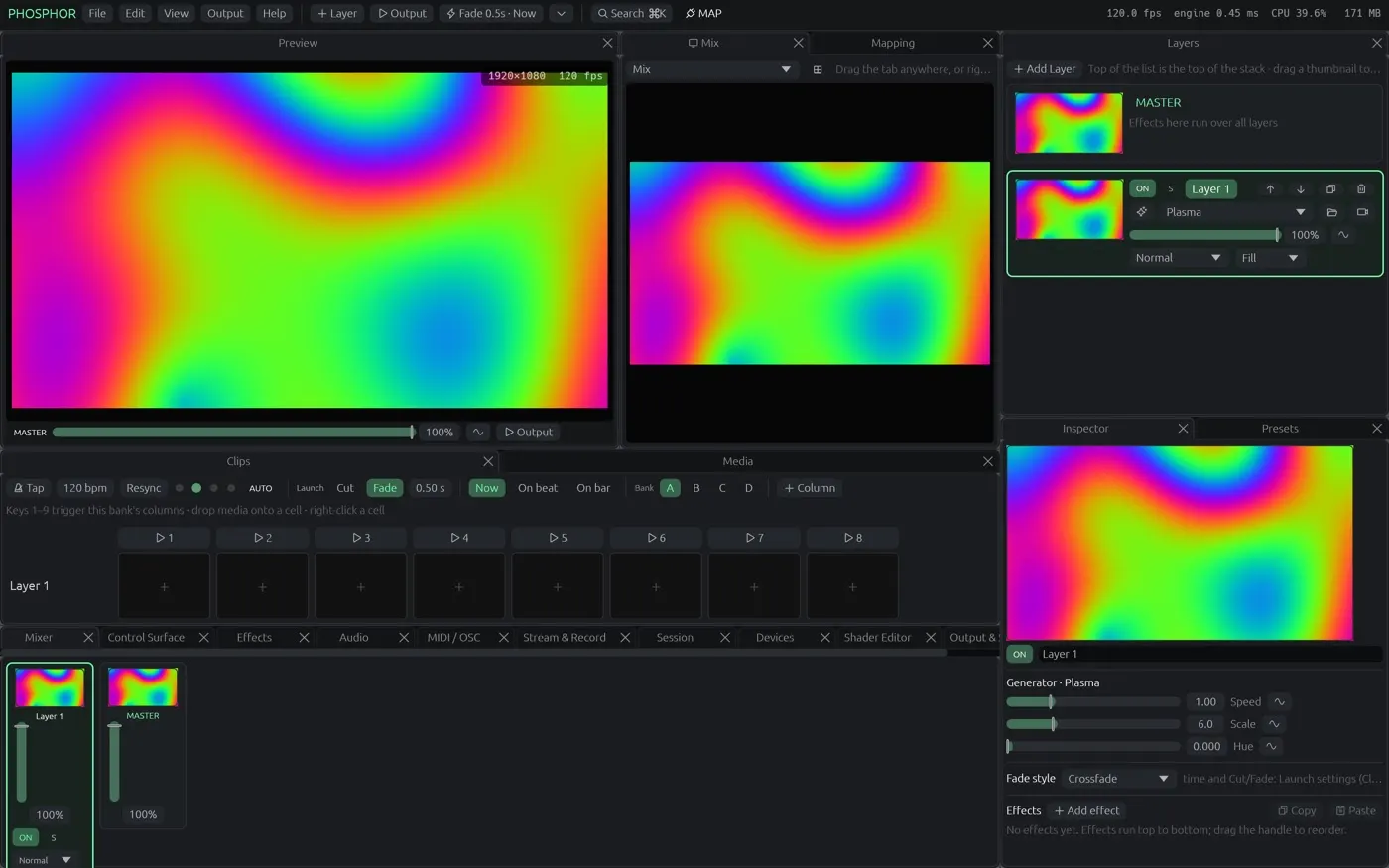
What VDMX users keep
Dockable, modular panels and layouts
Preview, layers, mixer, clips, inspector, effects, media bin, control surface and mapping are panels you dock, float or pop out; built-in layouts (Main, Perform, Studio, a VDMX-style one) and your own, with a startup layout.
Data sources you chain
Shared modulators: named LFOs, audio bands, step sequencers, random, the beat, or a MIDI knob, that any number of controls follow. Chain one into the next (scaled by, plus, speed set by…). Every slider can also take its own LFO or audio from a right-click.
ISF shaders, the real thing
325 of the 327 shaders in the ISF collection import directly, including multi-pass, feedback buffers, imported pictures and live audio / audioFFT inputs. MadMapper materials import too. A shader editor with live preview for your own.
MIDI, OSC and keyboard, with Learn
Right-click any control, press Listen, move a knob. OSC Query and feedback to controllers, TouchOSC layout export, control surfaces you build with pages, XY pads and colour.
Syphon, NDI, cameras, streams
Syphon in and out, NDI in and out, cameras and capture cards, network streams, Hap on the GPU, stream to YouTube / Twitch / RTMP / SRT, record ProRes or Hap. VDMX project media imports.
What Phosphor adds
Automatic beat detection
Phosphor finds the tempo, beat and downbeat in the music by itself: a microphone, an audio input, session viewers' phones or the clips it plays. Tap, MIDI clock and Ableton Link are there too.
Clips that line themselves up
Match the beat reads a movie's visual rhythm and sets its loop and speed so hits land on beats; Auto-match does it for every movie dropped into the grid.
Projection mapping built in
Corner-drag on the projector, mesh warp, masks with soft edges, edge blending, per-output colour, several outputs, LED mapping over Art-Net / sACN. No second app.
Phone remote and audience play
Scan a code for a remote with your control surface on it; a second code lets the audience take timed turns.
What Phosphor does not do (yet)
No Quartz Composer or FxPlug plug-ins, no VDMX-style data-source wiring for everything (modulation covers the common cases), a Windows build only as a preview, and Phosphor is not notarised yet (first launch needs Privacy & Security → Open Anyway).
Questions from VDMX users
Can Phosphor use my VDMX ISF shaders?
Yes. Phosphor scans the same folders VDMX uses (/Library/Graphics/ISF and ~/Library/Graphics/ISF); 325 of the 327 shaders in the ISF collection import, with multi-pass, feedback, imported pictures and audio inputs.
Does it do Syphon?
Yes, in and out, plus NDI in and out.
Can it import a VDMX project?
It imports the media of a VDMX project into the grid. Layouts and plug-in wiring are built in Phosphor's own panels.
Is Phosphor really free?
Yes. The Mac app is free and open source (GPL). A free account keeps a few projects and your layouts; paying is only for more space.
Try it
Download Phosphor for Mac from GitHub (free, open source, updates itself) or open it in Chrome or Edge. The other comparisons: Resolume · VDMX · MadMapper · all three, feature by feature.