 Phosphor
Free VJ software for Mac that finds the beat by itself
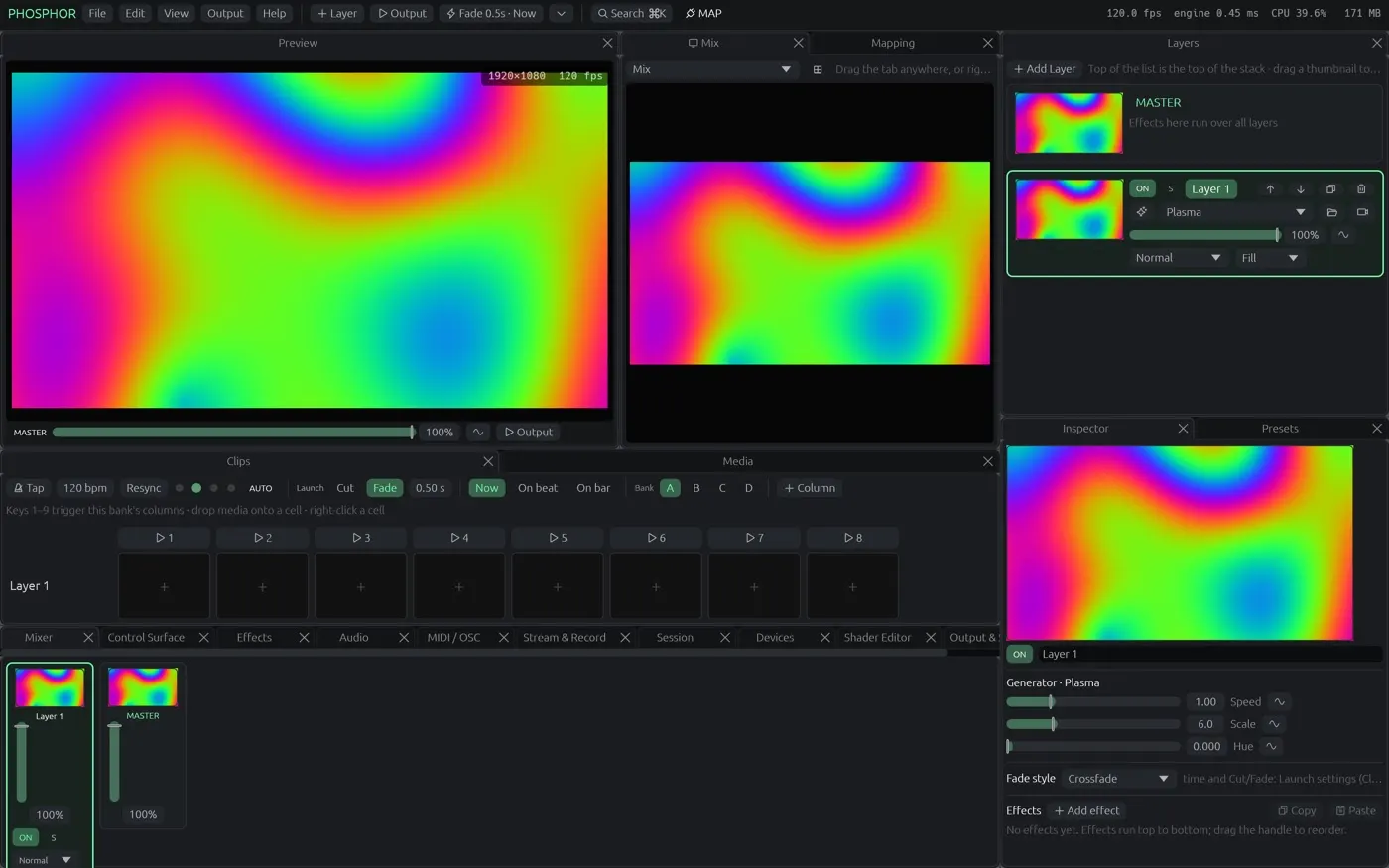
Phosphor is open-source VJ software for Apple-silicon Macs. It has the clip grid, effects, shaders, controller mapping, phone remote and projection mapping you would expect from the paid apps, and it detects the beat in the music and lines your clips up to it on its own. No licence, no watermark, no trial.
What you get
A clip grid on the beat
Layers × columns with banks, column triggers, trigger modes, autopilot, transitions (crossfade, blend modes, or any effect), launch quantised to the beat or the bar.
Automatic beat detection
Phosphor finds the tempo, the beat and the downbeat in the music from a microphone, an audio input, the phones of people watching your session, or the clips it is playing. Tap, MIDI clock and Ableton Link too.
Clips that lock themselves to the beat
Match the beat reads a movie's visual rhythm and sets loop and speed so hits land on beats; Auto-match does it to every movie you drop in.
Effects, generators and ISF shaders
Dozens built in, master effects, text layers, 325 of the 327 shaders in the ISF collection, MadMapper materials, and a shader editor with live preview.
Map anything
MIDI, OSC (with OSC Query), keyboard, TouchOSC export; LFO, audio, step and envelope modulation on any value; control surfaces you build; a phone remote by QR code; audience play.
Projection and LED mapping
Drag corners on the projector, mesh warp, masks, soft-edge blending, per-output colour, several projectors, Art-Net / sACN LED mapping.
In and out
Hardware-decoded H.264, HEVC, ProRes, VP9, AV1 and Hap, sound files as clips, cameras, capture cards, network streams, Syphon and NDI in and out, streaming to YouTube / Twitch / RTMP / SRT, ProRes and Hap recording.
Shows
Undo, crash recovery, Export Show (a standalone app with the media), Lock Controls (play-only mode with a password), Resolume and VDMX import.
Coming from another app?
See what you keep and what changes: Resolume · VDMX · MadMapper · all three, feature by feature.
Questions
Is there a catch? A watermark, a trial, a licence?
No. Phosphor is free and open source under the GPL, with no watermark and no trial. A free account keeps a few projects and your layouts online; paying only buys more storage.
Which Macs does it run on?
Apple-silicon Macs (M1 and later) on a current macOS. On first launch macOS asks you to allow it under Privacy & Security, because it is not notarised yet. It also runs in Chrome or Edge on any recent computer.
Does it do beat sync?
Yes, automatically: it finds the tempo in the music from a mic, an input or the clips it plays, and can lock each clip's own visual rhythm to it. Tap tempo, MIDI clock and Ableton Link also work.
Can I use my MIDI controller?
Yes. Right-click any control, press Listen and move a knob. OSC, TouchOSC and the keyboard work the same way, and a phone becomes a remote by scanning a QR code.
Get it
Download Phosphor for Mac (free, open source, updates itself) or open it in Chrome or Edge. The source is on GitHub.