 Phosphor
A free Resolume alternative that finds the beat by itself
Phosphor gives Resolume users the thing they came for, the clip grid with everything launched on the beat, in a free, open-source Mac app, and adds what Resolume still makes you do by hand: it detects the tempo in the music and locks each clip's own visual rhythm to it automatically.
Resolume is a trademark of its owner; Phosphor is independent and not affiliated with it. Feature by feature: the comparison table.
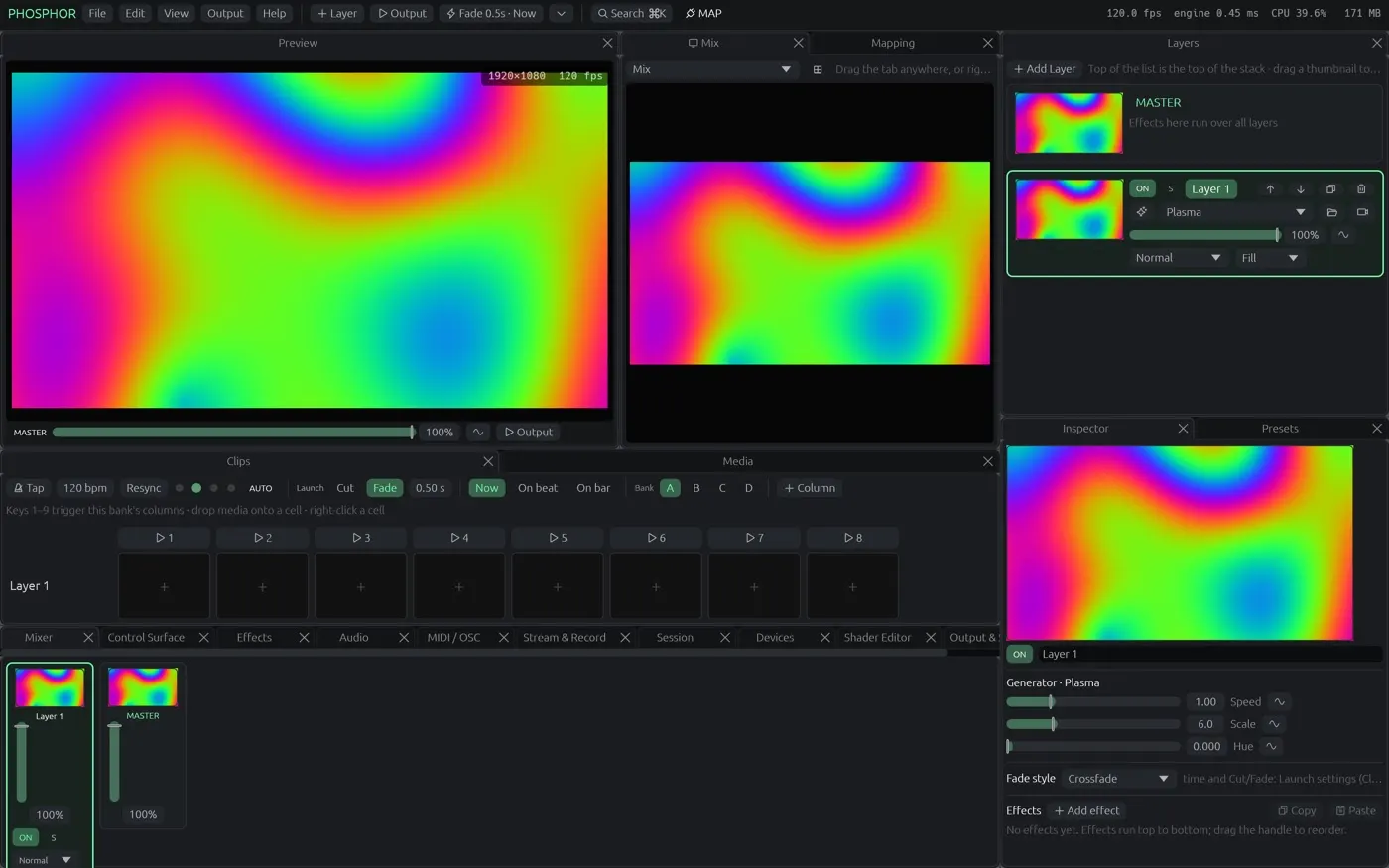
What Resolume users keep
The clip grid, the way you know it
Layers × columns with banks (A–D), as many columns as you like, column triggers, keyboard / MIDI / OSC triggers, trigger modes (toggle, flash, piano), per-clip settings, autopilot and a crossfader between layer groups.
Launch on the beat or the bar
Quantised launch, tap tempo, resync, MIDI clock in and Ableton Link. Transitions are crossfade, cut, dip, wipe, the blend modes (Add, Screen, Subtract, Multiply…) or any effect as a transition, per layer or for the whole grid.
Clip playback that keeps up
Hardware-decoded H.264, HEVC, ProRes, VP9, AV1 and Hap, speed, reverse, ping-pong, in/out points, beat loops, BPM sync, clip audio with volume that follows opacity, sound files as clips.
Effects, generators and ISF
Dozens of built-in effects and generators, master effects, a shader editor with live preview, and 325 of the 327 shaders in the ISF collection import directly (Resolume needs FFGL plug-ins for most of these).
Your Resolume compositions come with you
File → Import opens a Resolume .avc composition: layers, columns, clips, blend modes and opacity land in Phosphor's grid; a relink window finds media that moved.
What Phosphor adds
Automatic beat detection
Resolume can take a BPM from audio. Phosphor goes further: it finds the tempo, the beat and the downbeat from a microphone, an audio input, the phones of people watching your session link, or the tracks it is playing itself, so a laptop with no cable to the booth still runs on the beat.
Clips that line themselves up
Match the beat reads a movie's own visual rhythm (cuts, flashes, movement), works out its tempo and sets loop and speed so every hit lands on a beat. Auto-match does it to every movie you drop into the grid.
Projection mapping and LEDs in the same app
Corner-drag mapping on the projector, mesh warp, masks, soft-edge blending, per-output colour, several projectors, Art-Net / sACN LED mapping. In Resolume that is Arena only; in Phosphor it is just there.
A phone remote and audience play with no setup
Scan a QR code: a phone becomes a remote (mixer, clips, your control surface). Put a second code on the screen and the crowd takes timed turns at the controls.
What Phosphor does not do (yet)
No FFGL plug-ins (Phosphor uses ISF and its own shader editor), no Alley, no Wire, a Windows build only as a preview, no SMPTE output on video, and Phosphor is not notarised yet (first launch needs Privacy & Security → Open Anyway).
Questions from Resolume users
Can Phosphor open my Resolume files?
Yes. File → Import reads Resolume Arena and Avenue compositions (.avc): layers, columns, clips, blend modes and opacity. Effects are mapped where Phosphor has an equivalent; a relink window finds media that moved.
Is Phosphor really free?
Yes. The Mac app is free and open source (GPL). A free account keeps a few projects and your layouts in the cloud; paying is only for more space.
Does it do BPM like Resolume?
Yes, and it goes further: tap, MIDI clock and Ableton Link like Resolume, plus automatic beat detection from any audio and automatic locking of each clip's visual rhythm to the tempo.
Does it run on Windows?
Not yet. Phosphor runs on Apple-silicon Macs today and in Chrome or Edge on any recent computer.
Try it
Download Phosphor for Mac from GitHub (free, open source, updates itself) or open it in Chrome or Edge. The other comparisons: Resolume · VDMX · MadMapper · all three, feature by feature.